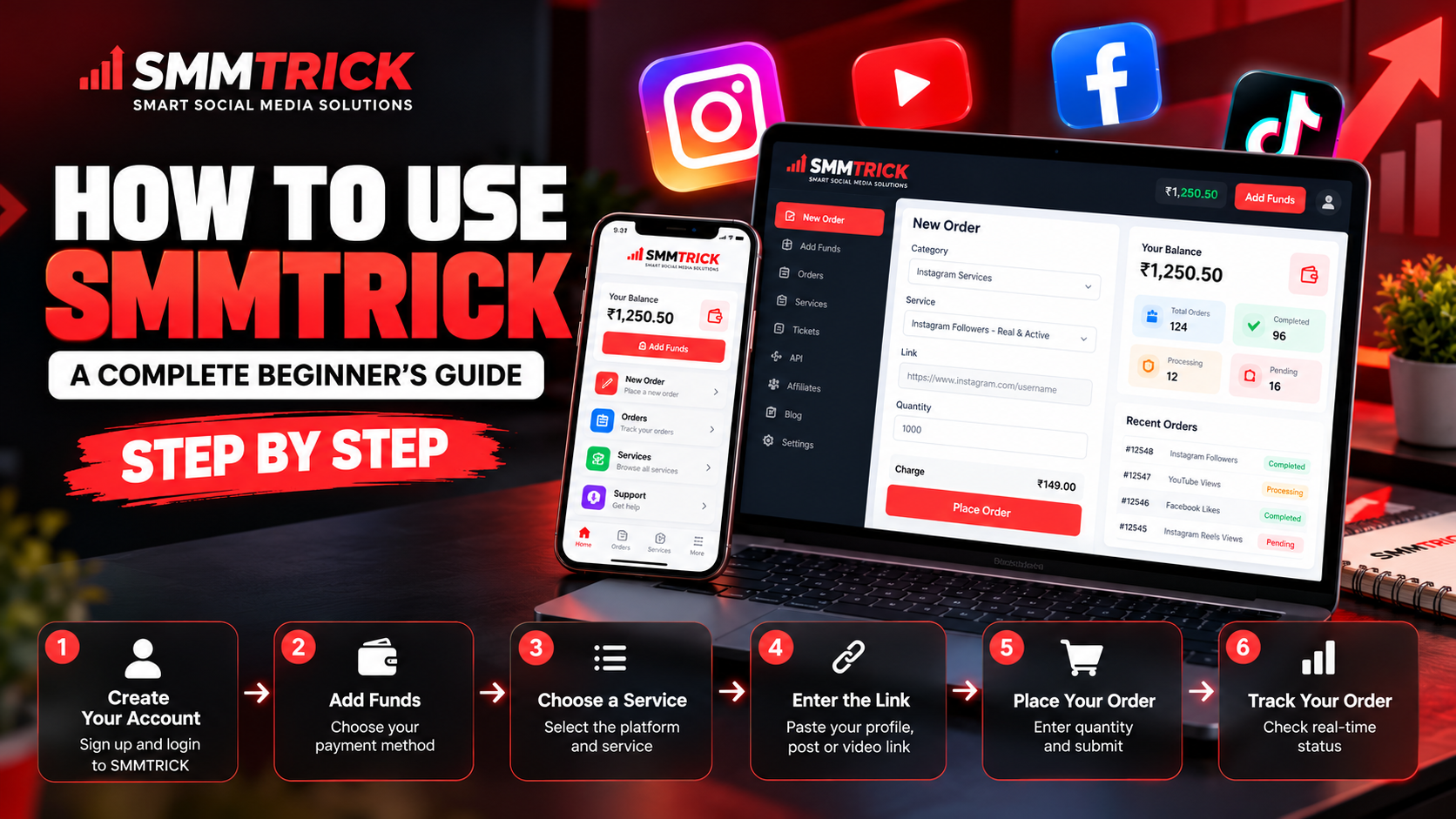
How to Use SMMTRICK
How to Use SMMTRICK: A Complete Beginner's Guide (2026)
Are you looking for a simple way to explore social media marketing services? SMMTRICK provides an online platform where creators, businesses, agencies and resellers can explore available social media services from one dashboard.
If you are new to SMM panels, this guide will help you understand how to create an account, add funds, select a service and track your orders on SMMTRICK.
What Is SMMTRICK?
SMMTRICK is an online SMM panel designed to make social media service ordering straightforward. Users can explore available services for supported social media platforms, review service details and manage their orders through their accounts.
Whether you manage a personal profile, run a business or handle social media accounts for clients, understanding the ordering process can help you use the platform more efficiently.
Step 1: Create Your Account
First, visit SMMTRICK.com and open the registration page.
Enter the required information to create your account. Once registered, log in to access your dashboard and explore the available features.
Keep your login credentials secure and never share your password with anyone.
Step 2: Add Funds to Your Account
Before placing an order, check your account balance. If your balance is insufficient, open the Add Funds section.
Choose one of the payment methods displayed on the website and follow the instructions. Check the payment amount and transaction details before completing your deposit.
Once the funds are credited to your account, you can use your available balance for eligible orders.
Step 3: Choose the Right Service
Open the New Order section and browse the available categories.
Depending on the current catalogue, you may find services for platforms such as Instagram, YouTube, Facebook and other social networks.
Before selecting a service, review the following information:
- Service name and ID
- Price and minimum order quantity
- Maximum order quantity
- Estimated start time and delivery speed
- Refill availability and applicable conditions
Choose a service based on your requirements rather than price alone. Service availability and performance can vary.
Step 4: Enter the Correct Link
After selecting a service, enter the relevant profile, post, Reel or video link in the required field.
For example, if you select a service for a particular Instagram Reel, use the URL of that Reel rather than an unrelated profile link.
Double-check the URL before continuing. Some services require the target content or profile to remain public during delivery.
Step 5: Enter the Quantity and Place Your Order
Enter the quantity within the service's stated minimum and maximum limits.
Review the calculated cost, service details and target link before submitting the order.
When everything looks correct, click the order submission button once. Save your order ID so you can refer to it if you need help later.
Step 6: Track Your Order
After placing an order, open the Orders or Order History section of your dashboard.
You can check the available status information to understand whether your order is waiting to start, being processed or marked as completed.
If an order takes longer than the estimated time, check its service description and contact support if necessary. Avoid placing duplicate orders for the same link while an existing order is still processing.
Tips for Using SMMTRICK Effectively
Here are a few useful tips for new users:
- Start with a small test order when trying an unfamiliar service.
- Read the service description before making a payment.
- Enter the correct link and quantity.
- Check refill terms rather than assuming every service includes a guarantee.
- Keep a record of your order ID and payment reference.
- Combine marketing tools with original content and genuine audience engagement.
No service can guarantee long-term organic growth or a particular level of engagement. Results depend on the service, platform policies and other factors.
Who Can Use SMMTRICK?
SMMTRICK may be useful for different types of users, including:
Content Creators: Explore available services for their social media projects.
Businesses: Manage selected social media marketing requirements.
Digital Marketing Agencies: Organise service orders for client campaigns.
Resellers: Explore available services and pricing for their business model, subject to the platform's applicable terms.
Frequently Asked Questions
How do I start using SMMTRICK?
Visit SMMTRICK.com, create an account, log in, add funds if needed and select a suitable service from the available catalogue.
How can I check my order status?
Open the Orders or Order History section in your account and locate the relevant order.
What should I do if my order is delayed?
Review the service's estimated start time and description. If the delay continues, contact support with your order ID.
Should I check the service description before ordering?
Yes. Always review the price, quantity limits, delivery information and refill conditions before submitting an order.
Conclusion
Using SMMTRICK starts with a few simple steps: register, add funds, choose a service, enter the correct link and track your order.
Taking time to review service details before ordering can help you avoid common mistakes and manage your account more effectively.
Visit SMMTRICK.com to explore the available services and get started with your social media marketing requirements.